Showing posts with label Blogging. Show all posts

Wednesday, January 16, 2013

10 Websites That Earn The Most Money


Find out how many employees Amazon have, which sites Google has bought, who’s the most profitable and much more! 

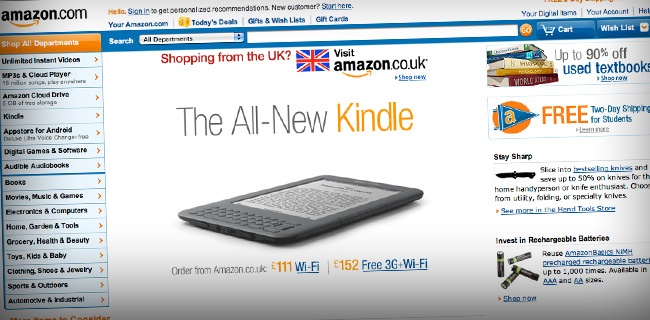
Amazon $34,204,000,000 ; $1,084 per second
Founded in 1994 and currently employing 33,700 people, Amazon.com remains the world’s largest online retailers, with the highest revenue of any company on this list. Selling an assortment of products across the world in countries as far as the UK, Austria, Japan and China. Amazon is no longer just an online retailer. they’re the head of a very large family of companies such as IMDb, Lovefilm, Zappos and Alexa. There is no doubt that Amazon has made a huge difference with where we shop in the last 15 years, with the closest website runner up in sales being Staples with less than a third of the sales of Amazon. Amazon Earn Per Second
Google - $29,321,000,000 ; $929 per second

Google’s ability to come in and create instantly popular features such as Google+, make it a force to be reckoned with for any website. The current leader in internet traffic is Facebook, so Google recently came out with their answer to that; ‘Google+’. Starting out in 1996 as a research project by Larry Page and Sergey Brin, Google grew into most users ‘go-to’ site for searching the internet, and their user friendly mottos of ‘to organize the world’s information and make it universally accessible and useful’ and perhaps more importantly ‘Don’t be evil’, has helped them to become the globally recognised brand that they are today.Google earn per second

eBay $9,156,000,000 ; $290 per second

Founded back in 1995 (beginning to see a pattern emerging here) by Pierre Omidyar, this is without a doubt the best and most successful alternative to traditional online shopping, where you can effectively cut out retailer to buy and sell between user and user, cutting costs and raising money for unwanted goods. Founded in 1995, eBay has acquired 35 companies in the past 13 years including 6 online auction sites in the US, South Korea, India, France and Sweden, ensuring that they’re the no.1 name in online actions. They’ve even used some of the money that they’ve raised in the past to buy companies like Skype, before selling them for profit.ebay earn per second

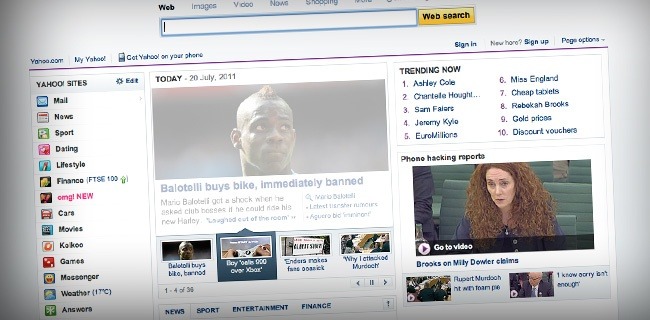
Yahoo! - $6,324,000,000 ; $200 per second

We often think of Yahoo! as the company that could never quite keep up with Google, even though it’s 2 years older, yet Yahoo! is so much more. At no.4 on this list, it has a mammoth revenue, and the site covers many similar areas to Google, only just not as well. Yahoo! was founded back in March of 1995 and they certainly have their fingers in a lot of pies, acquiring over 60 different companies in the last 16 years. As far as search engine traffic goes, I get 64 times the amount of traffic from Google, so it is in fact these acquisitions and ventures that make them a hell of a lot of money, not their search engine.yahoo earn per second
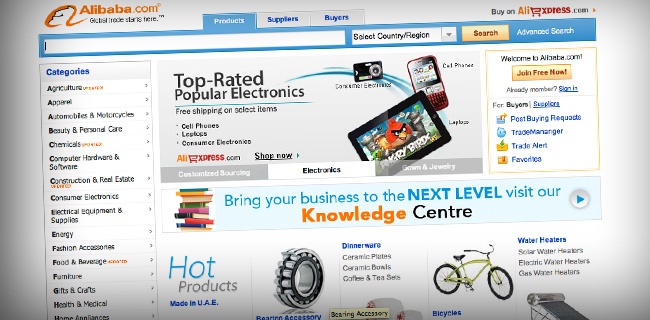
Alibaba - $5,557,600,000 ; $176 per second

Alibaba is the ultimate business-to-business tool and brings together importers and exporters from more than 240 countries and regions, all in one place. Alibaba focuses on facilitating trade between users across the world, and AliExpress focuses on smaller transactions between buyers and sellers worldwide. With 65 million registered users in more than 240 countries and offices in more than 70 locations worldwide, they’re the market leader in online world goods trade.alibaba earn per second
Expedia, Inc. - $3,348,000,000 ; $106 per second

Founded in 1996 as a division of Microsoft, Expedia, Inc. own a range of travel brands from Hotels.com to Tripadvisor, and their massive affiliate network has boosted their revenue to an all time high in recent years. Back in 2008, Fortune labeled Expedia one of the top 3 most admired internet companies, and one of the best managed companies in the same year. In the 15 years that they’ve been around, they’ve become the 1-stop shop for booking a holiday, covering every aspect of travel, and making them no.1 in the online travel industry.expedia earn per second

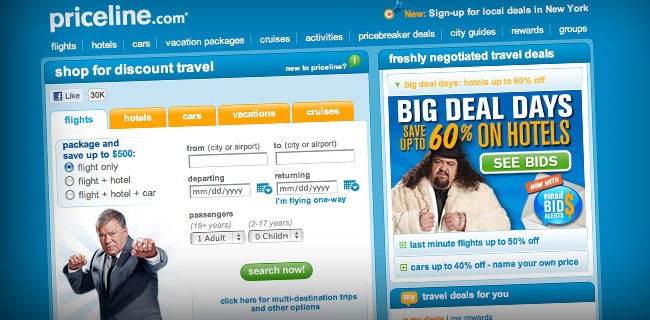
Priceline $3,072,240,000 ; $97 per second

Priceline specialise in facilitating the sale of flights, hotels, cars, vacation and cruises and are famous for their ‘name your own price’ system. In this system, travellers would name the price they wanted to pay, the service level they wanted and the general location, but, the companies used, exact location of hotels and flight itineraries were only revealed once the purchase had gone through and the customer had no right to cancel. It’s an unusual idea, but it seems to have done very well for them and their celebrity endorsers. William Statner, who was hired as a spokesperson for the company, chose stock over pay and is rumored to have sold a large majority of it right before the dot-com bubble burst and has made approximately $600 million from it.priceline earn per second
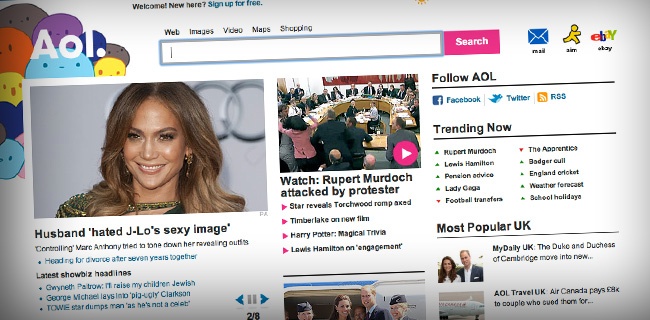
AOL $2,417,000,000 ; $77 per second

Founded all the way back in 1991 as America Online, and rebranded as AOL in 2006, AOL is best known for it’s online software suite, where, at it’s prime, 30 million members worldwide would access the internet through this community. Business may be good compared to some of the other companies on the list, but when you compare what they made in 2010, to what they made in 2006 (when the company went through it’s rebranding), they now make less than a third of what they did. The trouble was bloated and outdated software, overpriced services and the fact that they were no longer keeping up with the pace of the fast moving online world, or providing high demand services anymore. Sure it’s making a lot of money, but we expect to see it lower on this list next year.aol earn per second
NetFlix - $2,160,000,000 ; $68 per second

This is a relatively young company compared to some of the others on this list, founded back in 1997, NetFlix is a subscription based, online streaming and postal DVD rental company that is expanding across the world. They’ve built their reputation on their business model on a flat fee subscription, without late fees or due dates, and the ability to rent more than one film at a time. They’ve excelled where Blockbuster have failed and that’s evident in their respective companies revenues over the last 5 years. NetFlix recognised what was wrong with the movie rental industry, and saw where the future was going, and then went there with it. They’re coming to the UK very soon…netflix earn per second

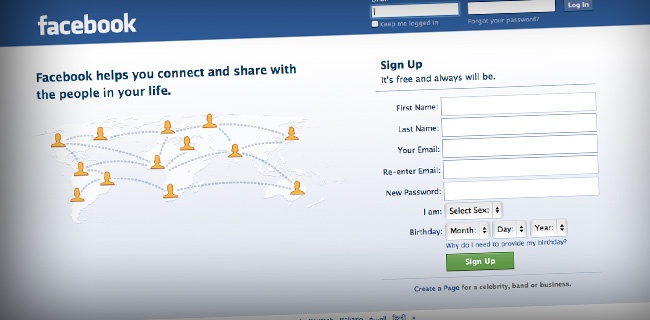
Facebook - $2,000,000,000 ; $63 per second

So popular, they even made a movie about it. As the youngest company on this list so far, founded in only 2004, Facebook currently has more than 750 million active users on it and has blown other social networks such as Myspace and Bebo out of the water when it comes to popularity. Started by the world’s youngest billionaire – Mark Zuckerberg – Facebook is not without it’s problems, including considerable legal battles and rival companies. With a pattern of social networks losing their overinflated worth and huge following, and the recent launch of Google+, who knows what’s in store for Facebook in the coming months.facebook earn per second
Baidu - $1,199,000,000 ; $38 per second

As the largest and most popular search engine in Chine, Baidu is responsible for 56.6% of all searchs. Think of them like a Chinese Google, they index over 740 million web pages, 80 million images, and 10 million multimedia files and their services range from your standard search, maps, images and videos, to their own version of Wikipedia, games and internet TV streaming. And they’re still growing, business in 2010 was almost double what it was in 2009, making them a very safe bet when it come to investment.baidu earn per second

Overstock - $1,100,000,000 ; $35 per second

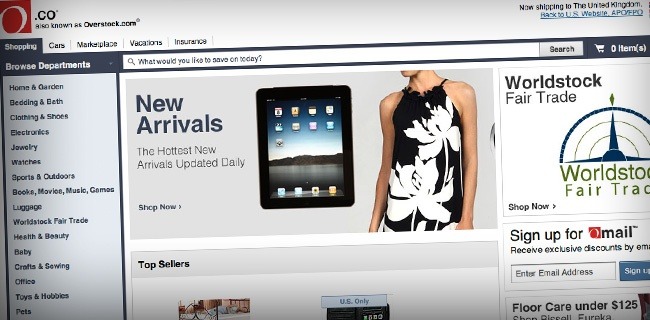
2010 was a good year for Overstock, it was their first billion dollar one and their most successful year yet. Their business model, as their name would suggest, is to sell overstocked surplus goods, as well liquidating the inventories of failed companies and selling their goods at below wholesale prices. Overstock has branched out though, they also offer a small online auction side to the website and sell hand made products from workers in developing nations. Their accolades include being voted no.2 in the U.S. for best customer service and a Forbes study found them to be one of the top 10 best places to work in America. Overstock.com (or O.co for short) had their first annual profit in April of 2010 and things are looking up from there.overstock earn per second
Skype - $860,000,000 ; $27 per second

With a total 663 million registered users in 2010, Skype is the largest voice and video service on the internet and has recently been bought by Microsoft for US$8.5 billion. Skype was founded back in 2003 as a peer-to-peer network, where users can call each other for free over the internet and make discount calls to local numbers all over the world. Originally developed by the same guys who created Kazaa, the massive ‘Napster like’ peer-to-peer program, Skype has consistently added new features and changed hands twice in the last 6 years. Originally bought by eBay for $2.6 billion in 2005, there wasn’t even 100million users onboard, but they soon started picking up when broadband speeds increased and they started rolling out features like video calling. A couple months ago in May, Microsoft made their deal to buy Skype, so it’s anyones guess what exciting new features we have ahead of us.skype earn per second

Zynga $850,000,000 ; $27 per second

Founded just four years ago in 2007, this website has become shockingly successful from their social networking games such as FarmVille and Zynga Poker with over 270 million monthly users. These browser based games are primarily played through social networks such as Myspace and Facebook where users can interact with their friends and see how each other are doing. They make their money in an unusual way of limiting certain parts of the game to users who will buy credits to do certain activities, with payments amounts even exceeding $500. They’ve recently signed an agreement with Facebook for users to only use Facebook credits for these purchases, and in turn Facebook will help them to reach targets that they set. For people who don’t wish to pay for credits, there are options of taking out offers and surveys from Zynga’s numerous partners, which is helping them to make more money and drive more traffic. An unusual, but wildly successful business model, that seems to have grown very rapidly over the past 4 years.Ziinga earn per second
Read Full Post

Friday, December 7, 2012

HOW TO SUBMIT YOUR BLOG/SITE URL TO BING AND YAHOO SEARCH ENGINE

All bloggers target is to increase his traffic, and ranking. for you to achieve this you have to submit your blog/site to search engines. in my previous post, have discuss on how to add blog/site to google search listing,and  How to submit your blog/site sitemap to google via webmaster tools. a blogger need to submit their blog url to Bing Webmaster Tool. once you submit your blog to bing it is advisable for you ping your post for it to appear in both Yahoo and Bing search engines. A webmaster tools was develop by bing similar to google webmaster tool, both webmaster tools are to be used by bloggers to have a good traffic and high ranking from both search engine.


Follow the few steps bellow for you to achieve this.

Sign in to your Bing Webmaster Tool with you live or hotmail id, if you don't have, register at live.com
Sign in to your live account with your account details.
Go to http://www.bing.com/toolbox/webmaster on your browser
Click on "Webmaster Tools Sign In"
Click "Home" and you will be directed to Webmaster tools homepage
Click "Add Site", type in your blog/site url and click "Submit" as shown below.

http://www.softwaresuneeds.blogspot.in/

Once  you add your site, Verify ownership box will pop up with three different option.
Click on "Option 2: Copy and paste a tag in your default webpage" as shown below

http://www.softwaresuneeds.blogspot.in/

A code will appear, copy it to verify your meta tag (don,t close this window)

Open a new window 

Go to your blogger dashboard

Click on Design > Edit HTML

Use ctrl F to find <b:skin> , paste the code you copied from Bing Webmaster Tools above/before <b:skin>

Click on "Save Template" button

Now go to your "Bing Webmaster Tools" account and click the "Verify" button.
Normally it should take 3 days for BING and YAHOO to start showing data for your newly submitted blog/site, but sometimes it may take 5 days before showing your data, but be expecting your blog links to be showing on Yahoo and Bing within 3-5days.

Hope this help, if you have anything to say or ask, please use the comment box below, and if you enjoy this post share it with the share button below.
Read Full Post

HOW TO ADD/SUBMIT SITEMAP TO ASK.COM


Submitting your sitemap to ask is another great way of driving massive traffic to your blog/site, though it can not be compared to google and bing, but it shouldn't be ignore if you are really seeking a huge traffic. Ask doesn't have webmaster like google and bing, but accept xml sitemap submission, follow the steps below on how to submit your sitemap.
  • If you are using a self hosted site like .com, .org e.t.c. copy the code below and paste it your your browser address bar and hit enter.

http://submissions.ask.com/ping?sitemap=http://YOUR BLOG URL/sitemap.xml

Change "YOUR BLOG URL" to your blog url
Example: http://submissions.ask.com/ping?sitemap=http://realcombiz.com/sitemap.xml
  • If your are on a free hosted/platform blog like .blogspot, .typepad, .wordpress e.t.c. use the code below

http://submissions.ask.com/ping?sitemap=http://YOUR BLOG URL/atom.xml

OR

http://submissions.ask.com/ping?sitemap=http://YOUR BLOG URL/rss.xml

Change "YOUR BLOG URL" to your blog/site url, as use in the example above.
After submission, you will receive a notification that your sitemap submission was successful. That's all.
Hope you enjoyed this, if so, take few seconds to share this, and for you take stay updated with our latest tutorials, subscribe to this blog now, and receive our latest post directly into your email.
Read Full Post

HOW TO SUBMIT YOUR BLOG TO ALEXA


Alexa is one of the leading analytic site, there ranking is calculated base on the data collected from there toolbar for a period of past three month, you can use their toolbar to get the information about a blog/site, you can also use there pro tools to increase your chance of appearing in the first list of search results.

How To Submit Your Blog
  • Go to alexa.com/register
  • Click "Create an Account" at the top right hand corner.
  • Fill out the form that appear with your email address and nickname
  • Check your email and click the link provided to confirm your submission
  • You will be redirect to a set password page, enter your password and click "Submit Password"
  • In the next window that appear click "Dashboard" at the top right hand corner
  • Next click "+Add a Site" button
  • Click "SIGN UP" under Intro, but you can choose any of your choice from there subscription option.
  • Enter your blog/site url without "www"and click "Continue"
  • You will given some code snippet, copy the code highlighted with a blue line as shown below and open a new tab/window

  • In your new window go to your blogger dashboard
  • Click on "Design" > "Edit HTML" > Back up your template
  • Use ctrl F to find <head> and paste the code you copied immediately after/below<head> tag
  • Click "SAVE TEMPLATE" and go back to alexa to click the "Verify my ID" button
  • In the next stage, fill out your public listing information and you are done.
  • You can check your site information from http://www.alexa.com/siteinfo/Your blog/site url.
Hope this help, do u know you can receive all how latest articles directly into your email, even if you are offline, to enable this simply subscribe to this blog now, and don't forget to share this.
Read Full Post

Saturday, December 1, 2012

How To Convert Your Blog To Book [FREE]


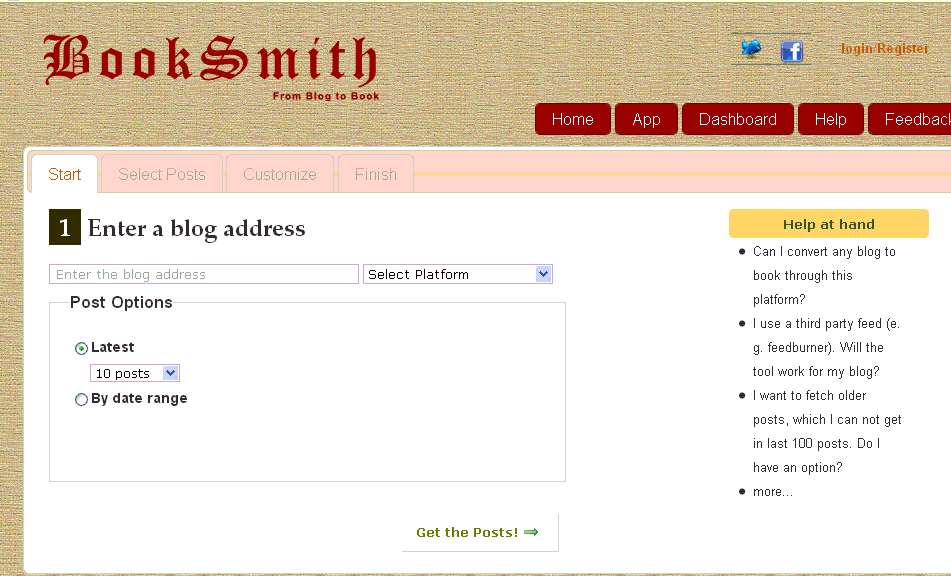
Here is cool online app to convert your blog and its articles in a cool looking ebook that you may give to your readers, friends or anyone who wish to read your written articles offline. So here is the way to convert your blogger or wordpress blog in a (pdf) ebook.
1. Visit Blog2Book
Click On Start Now Button to start the process.
2. Enter the URL of the blog and select blog type (WordPress or Blogger).
Also select how you want to fetch post’s (by latest or Date range).
convert blog blog into ebook
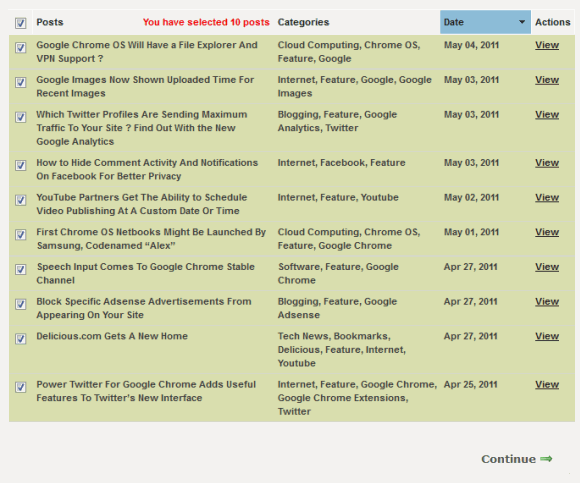
3. Click on Get the Posts!
This will grab all the posts.
Later, you can uncheck any post that you don’t want to include in your PDF.
In next step you can customize the PDF file.You can select not to include Images and publish date of posts.You can also add the title, subtitle, authors name and choose cover page.
Once you are done with customization click on Create my book! button.
It will take some time depending upon the number of posts to be included.
A link will be given to download in the end.
Cool, isn’t it?
What do you think of this wonderful app? Are you going to create pdf of your blog too after reading this?
Read Full Post

Add Live Traffic Feed Widget on Blogger....

http://www.softwaresuneeds.blogspot.in/

Ever wanted to see where traffic is coming from on your blog?
Live traffic widget can help you to show visitors’ traffic flow.
So you can see in real time, WHO, FROM WHERE coming on your site and ON WHICH ARTICLE!!
Check out two great free “Live Traffic Feed” widget services.
Live traffic widget helps you to recognize that which one of your topics of your blog are getting popular, from which part of the world people are coming the most and from which site they are coming or which search engine is helping you to driving traffic to your blog. All this in one simple widget.

1. Wowzio.com

Wowzio.com offers this widget for Free.
All you have to do is to write an email to the address given at Wowzio Widget Builder page. Write about your interest in installing wowzio’s live activity widget and don’t forget to mention your name and blog’s address.
After your request is accepted, installing is pretty simple, with the help of one-click blogger install button. And if you’re not on blogger, just copy/paste the given code in your site.
This is how Wowzio’s “Live Traffic Feed” widget looks like after installing:

2. Feedjit.com

Feedjit is one of the most popular website which provides the Live Traffic Feed widget.
You don’t need to send any email request or no need to even register yourself to get the widget.
Feedjit not only provides “Live Traffic Feed” widget, but 3 other similar kind of widgets as well.
Which includes;
- Live traffic Map
- Recommended Reading and
- Page Popularity
To install any of the widgets,
1. Visit Feedjit.com
2. Do some optional customization.
3. Simply copy and paste the code in your blog.
And if you are a Blogger or Typepad user, you can simply click the appropriate links given there above each widget to instantaly install the widget without copying/pasting the code.
This is how Feedjit’s “Live Traffic Feed” widget looks like after installation:
http://www.softwaresuneeds.blogspot.in/

Read Full Post

Thursday, November 29, 2012

ADDING A CONTACT PAGE IN BLOG


Contact Us form is always prove it self important for any publisher.Its an important way to communicate with your visitors in a convenient manner.Not only it will help you to improve your services it could also make your community more reliable as user will able to communicate with you live with out any barrier.But Blogger does not provide this service you have to work a bit to make it working for you.In Blogger users can communicate with comments but they cannot send you a private message so its better to have a contact us form to make personal stuff private.So today we will learn How to add a contact us form in blogger before we start adding it lets look at its features

  • Its Free to use no need to spend a single penny
  • Its have anti spam protection in form of Captcha to stop spamming bots
  • Send and receive unlimited forms
  • Stylish Contact us form with mouse over hover 
  • Email Required to stop spamming
  • Don't need any registrations
Its very important to have a contact us form as user use it to send there feedbacks regarding your services.So adding a contact us form is a smart move to make your audience feel the this community has good standards.So let us start working with out wasting any time
       

1.Setting Up Contact Us Form
Go to http://www.foxyform.com/ and select the fields you want in your contact us form i.eTitle,Name,Subject,Email.You have to specify which fields are required. These required fields must be filled out by the user or the form will not be submitted.

2.Doing Advance Setting (Working on Forms Look)
Now in this step you have to customize the look of your form fine tuning the look according to your website.Select Background Color,Font Color,Font and Font size and proceed to next step


3.Target e-mail address:(Where You Will receive Contact Messages)
Now you have to insert your email address when ever any user will contact you an email will be dispatched to your email address.and now press Create Formular to get the html embed code

http://www.softwaresuneeds.blogspot.in/

4.Creating a Contact Us Page in Blogger:
As you have a embed html code now you just need to  create a contact us page.To create it go to Blogger.com >> Page >> Create A Page >> And Paste the embed code in the post description give a title to post and publisher the post


Read Full Post

Saturday, November 24, 2012

Create a Successful Blogger Blog?


http://www.softwaresuneeds.blogspot.in/


http://www.softwaresuneeds.blogspot.in/

A successful blog can be created by keeping some important points in mind and by working hard on it in its earlier age you can earn money online. I am going to tell you briefly that how you can make your blog successful

1. Choosing the right topic for your blog

When you are going to start blogging, choose right topic for your blog. The topic should be of your interest. If you are strong in the topic and can make good and quality posts of the concerned topic, then your blog will achieve success.

3. Post brief and quality content

Remember one thing, now a days, time is precious for everyone. If someone searches for anything on the Internet, he will not stuck with the complicated things, instead he will search for a brief, but complete content which contains the material for which the person was searching. So always try to make short and brief but quality posts. Try to summarize what you want to say.

The quality of your posts will decide the success and failure of your blog. Don't copy and paste the content from other sites. Write simple and quality posts which could benefit your visitors. As it is said in blogging and web designing, that "content is king" so try your best to post quality content. Secondly, your Google Adsense application may be rejected if content of your blog is not original. I'll write an other article later in which I'll discuss that what Google Adsense expects from you.

3. Personalize your template to enhance its appearance

It is necessary as the default settings need to be modified according to your header, tagline and widgets etc. First select a good template and then personalize it. Decrease or increase the font size of title and tagline to best appear in the template. You can also change the font size, color and style for posts and side bars. Color of background can also be modified. So the template should must be personalized before start posting.

2. Select a good theme

A good theme or template tastes sweet to eyes and and keeps the mind and the eyes of the reader cool. So selecting a good template is also necessary for your blogs beauty which will play important role in blog's success. Anyone can't stay much on the dull and boring sites which are uncomfortable for eyes.

5. Write a good and unique search description for your posts

Write  a brief and unique description for your each post. You can add a description for your posts in Blogger, by clicking on "Search Description" link on the site bar of composing page. Add a brief but solid description which should describe your posts in a sentence. This will cause the search engines to show your post for the people who are searching for it. Secondly, this description will decide that either they click on your link or not. Don't add lengthy descriptions. Your description should contain less than 160 characters, because search engines only show the first 160 characters of your description.

6. Allow commenting on your posts

Allow your visitors to comment on your posts. Help them if they need it. Respond their questions as soon as possible. This will help your blog to grow in several ways.You will come to know that what your visitors expect from you and in which sections, you need improvement and so on.

7. Use Webmaster Tools

Google Webmaster Tools are a collection of tools to keep your blog in a good state for search engines. Bing also provides Webmaster tools. To use Google Webmaster Tools, you only need to sign in to the Webmaster Tools after creating the blog on Blogger. You will find your blog in Google Webmaster Tools. But to use Microsoft's Bing, you need to have an account in Bing, create the one and then add your site to Bing Webmaster Tools. It will ask you to verify ownership of your site and provide a code to add it in the head section of your site. To verify it, copy the code from Bing Webmaster Tools, then log in to your Blogger account. Select your blog which you have added in Bing. Then click on "Template" from the dashboard and click on "Edit HTML". Paste the code before the </head> tag . Click on "Save" and then go to Bing Webmaster Tools again and click on verify. Your blog will be verified. Now you can use Bing Webmaster Tools for your blog also.

http://www.softwaresuneeds.blogspot.in/
Using Webmaster Tools of both Google and Bing, you can submit your sitemaps and can also fetch your URLs to help the search engines index your pages fast. You can also look into SEO suggestions from these tools. This will help you make a good SE optimized site which will drive good traffic.

8. Use Google Analytics

Link Google Analytics to your blog to see that how your visitors interact with your blog. Which topics were most searched and which pages were most visited. This will help you a lot to decide that what type of content your blog needs.

9. Create a complete Google+ Profile

Create a complete Google+ profile with the same email address which you have used to create the blog. Link your blog with Google+, add maximum circles to your profile and then share your blog posts in the Google+ circles. You should also link yourGoogle+ profile with Webmaster Tools. In most cases, it is done automatically. When you have a verified Google+ profile associated with your blog, then your profile will be shown as author in search results. It leaves a very good impression on the searcher, resulting in the click on your link. In this way, you will get more and more visitors and your blog will keep growing. If your Google+ account fails to link with your blog, try to link it.

10. Share your blog on social networks

Social networks are a big source of traffic. Create a page of your blog on Facebook, and invite friends to like your page. Embed the like button on your blog too. Your audience will keep growing and now whenever you will share your posts onFacebook using your page, all your audience will be notified and most of them will click on the link to your blog if the content is interesting and useful.


Read Full Post